System Overview
This page describes the software I’m using. I always try to use open-source solutions.
Raspberry Pi OS
I use Raspberry Pi OS as a primary OS for my Raspberry Pi. It’s basically a Debian variant, so it offers out-of-the-box a lot of useful tools and settings.
Docker
I use Docker to manage all containers in my smart home. Also whenever I need to add a new tool, I always check if there is a containerized version first.
Docker allows encapsulating everything related to a single service within a container. This approach helps to maintain the host system clean and manage (start, stop, update and delete) every container separately.
docker-compose helps to describe my whole setup in a single file and manage it with a few commands.
Cockpit
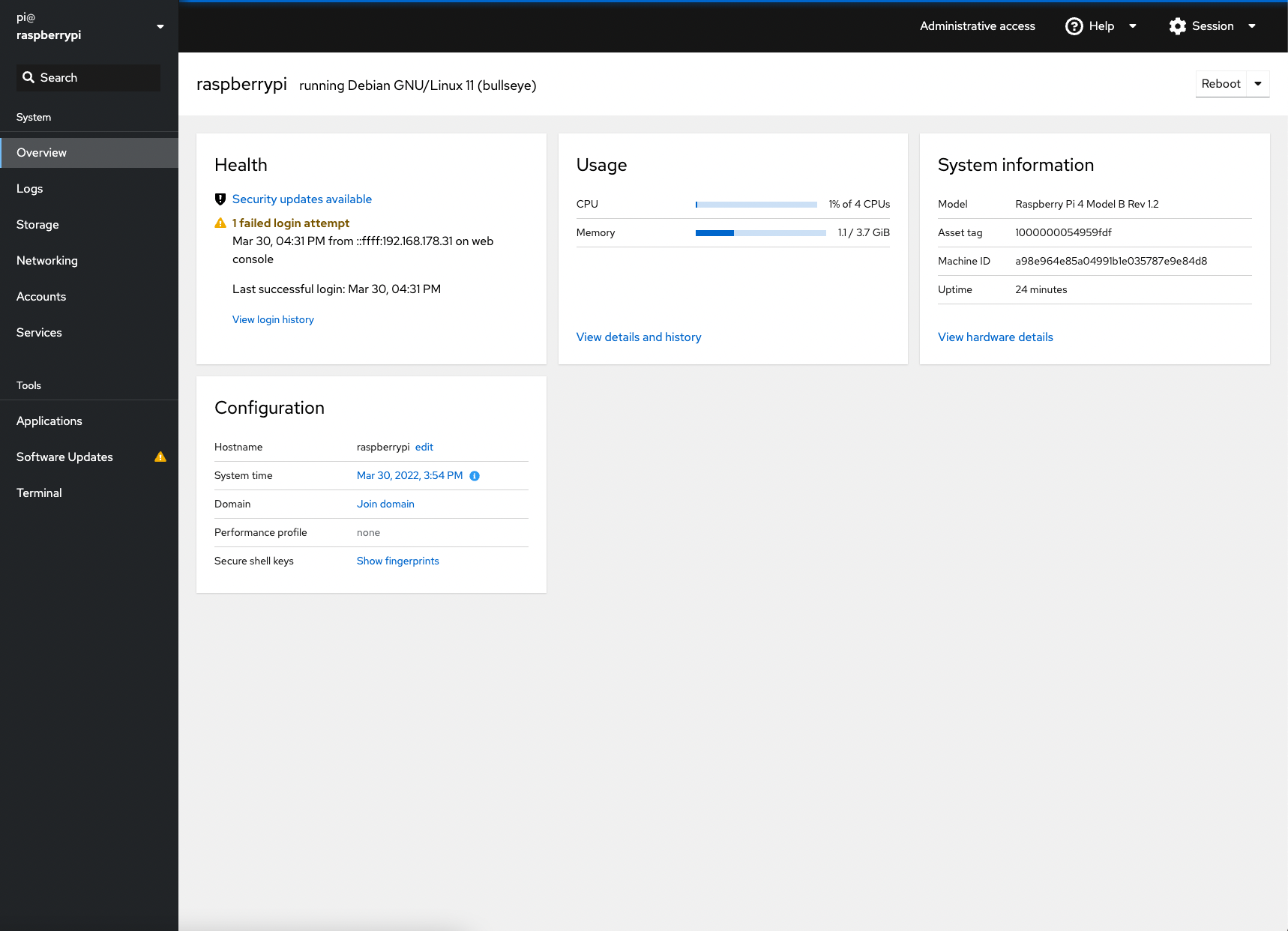
Cockpit is a web-based graphical interface for servers.
This tool helps me to manage my infrastructure from a web browser: network, external drives, processes and services, system updates.
It also includes a terminal that you can access directly from your browser.
Home Assistant
Home Assistant is an open-source home automation platform that puts local control and privacy first.
The community is huge and it allows me to manage everything locally, connecting all my devices, by myself, and it is open source… What else can you ask for?
The hard choice was related to the type of installation, because as you can see here, Home Assistant offers four different installation methods.
After watching this amazing video from the Home Automation Guy I decided to install it as Home Assistant Container., Because I had prior knowledge of docker containers, docker-compose, etc., and it provides the flexibility to easily migrate everything to another machine, if eventually I need to upgrade my hardware.
You can read more about it in Home Assistant section of this documentation.
alberto
This is just a bash script I wrote for personal needs. You can find it here.
This performs typical tasks I do in my smart home, like bootstrapping, controlling the server, updating, etc.
Tools
If you use a similar docker-compose and follow the Getting Started section you will end up with the applications below.
| Application | URL |
|---|---|
| Cockpit | https://raspberrypi.local:9090/ |
| Home Assistant | http://raspberrypi.local:8123/ |
| NGinx Proxy Manager | http://raspberrypi.local:8081/ |
| Portainer | http://raspberrypi.local:9000/ |
| Duplicati | http://raspberrypi.local:8200/ |
Here I’m using raspberrypi.local because it is the default hostname for a typical installation. It might be different in your case.