How to flash tasmota on SP22 using the OTA method
Just follow the instructions here to download the Tuya-Convert tool.
I flashed my Teckin SP22 smart plug using my raspberry and the official Tuya-Convert tool.
This is the template I used during this step:
{"NAME":"Teckin SP22 Power Monitoring Plug","GPIO":[0,17,0,57,134,132,0,0,131,56,21,0,0],"FLAG":0,"BASE":52}
NOTICE!!! Manufacturer has started using unsupported non-ESP8266 chips recently and this device might not be compatible anymore. Check seller descriptions or contact them before buying!
Troubleshooting
I can’t put my device in pairing mode
This is usually done by pressing and holding the primary button of the device (LED will blink fast). Also, make sure nothing else is plugged into your device while attempting to flash.
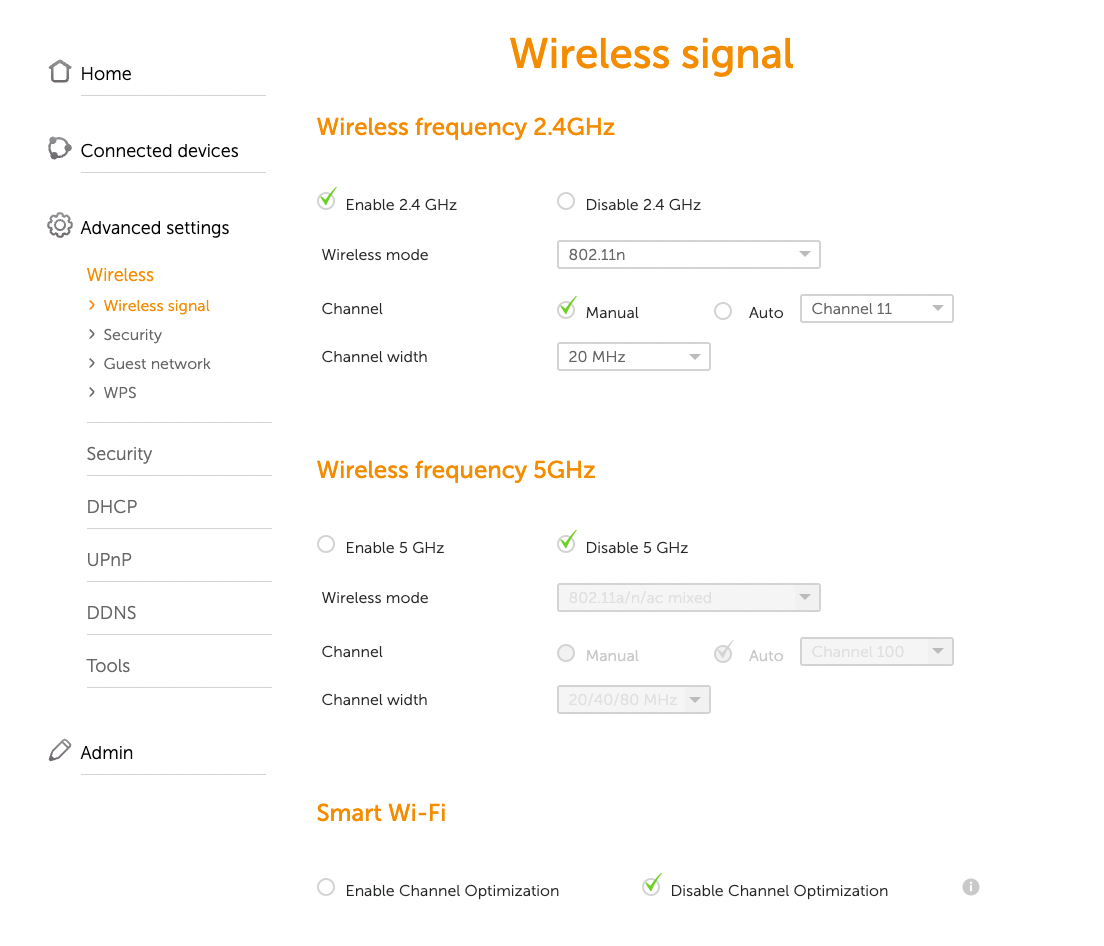
I had to disable the Wireless frequency 5GHz in my router and change my Wireless frequency 2.4GHz to Wireless mode 802.11n.